



Projects
All your strategic projects on one timeline
See the whole project portfolio at a glance, and plan each project down to the task: who does what, when, and what waits for what.
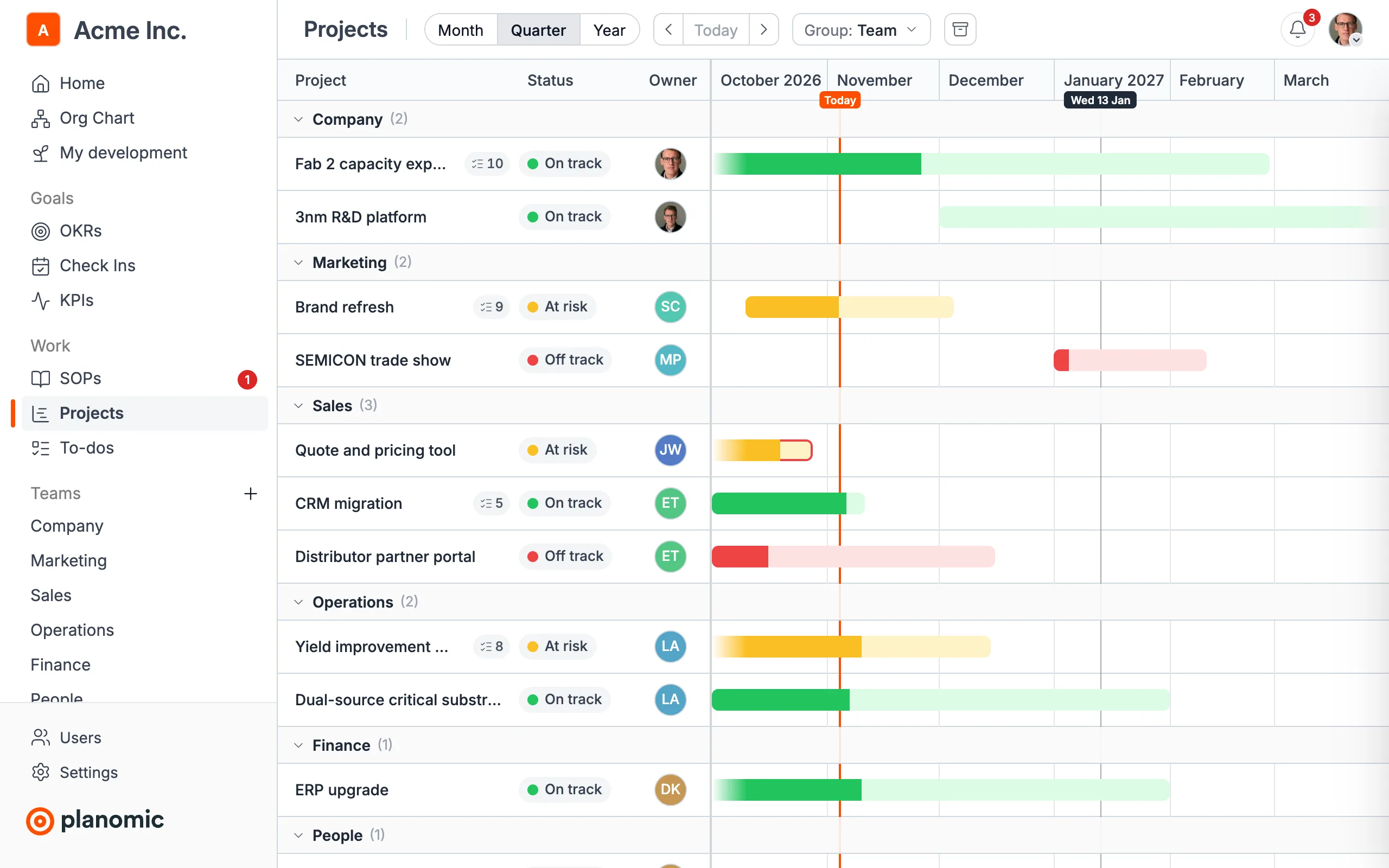
Gantt timeline
Drag projects to move or resize them, or up and down to put them in order. Group them by team or status, mark each on track, at risk or off track, and see the whole portfolio at once.
A plan for every project
Break a project into tasks and subtasks with the people assigned and their dates. The project's dates and progress follow its tasks.
Dependencies that keep up
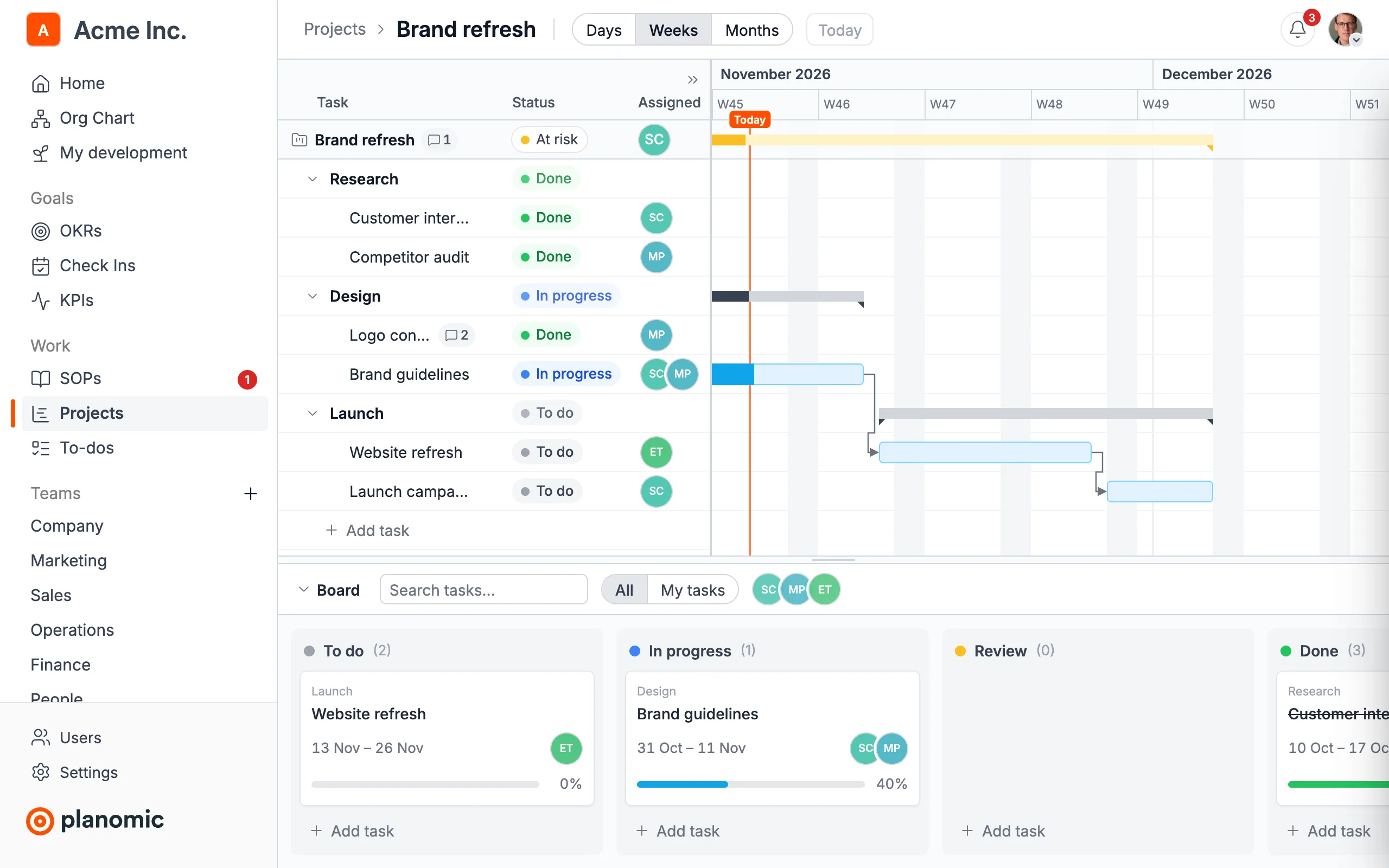
Draw an arrow from one task to the next. When a task moves later, the tasks waiting for it move with it.
Connected to your OKRs
Link a project to the objectives it supports and see which work drives which goal.
Plan each project down to the task
Tasks and subtasks on a timeline by day, week or month, with their status, the people assigned and arrows for what waits for what. Drag a bar to change its dates, or up and down to move the task in the plan.
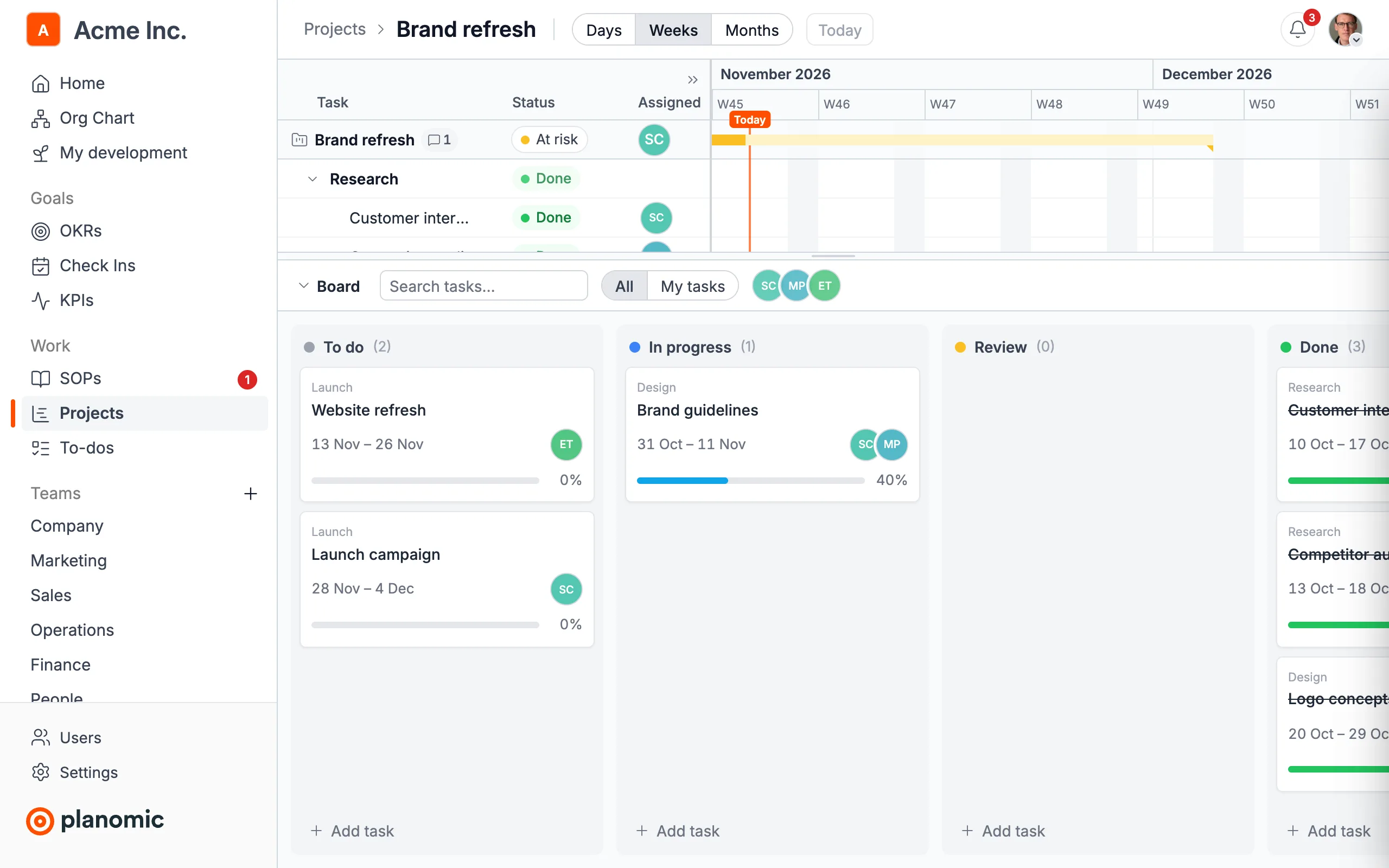
A task board for the team
The same tasks as cards in To do, In progress, Review and Done. Drag a card to another column to change its status, and filter by person or to your own tasks.
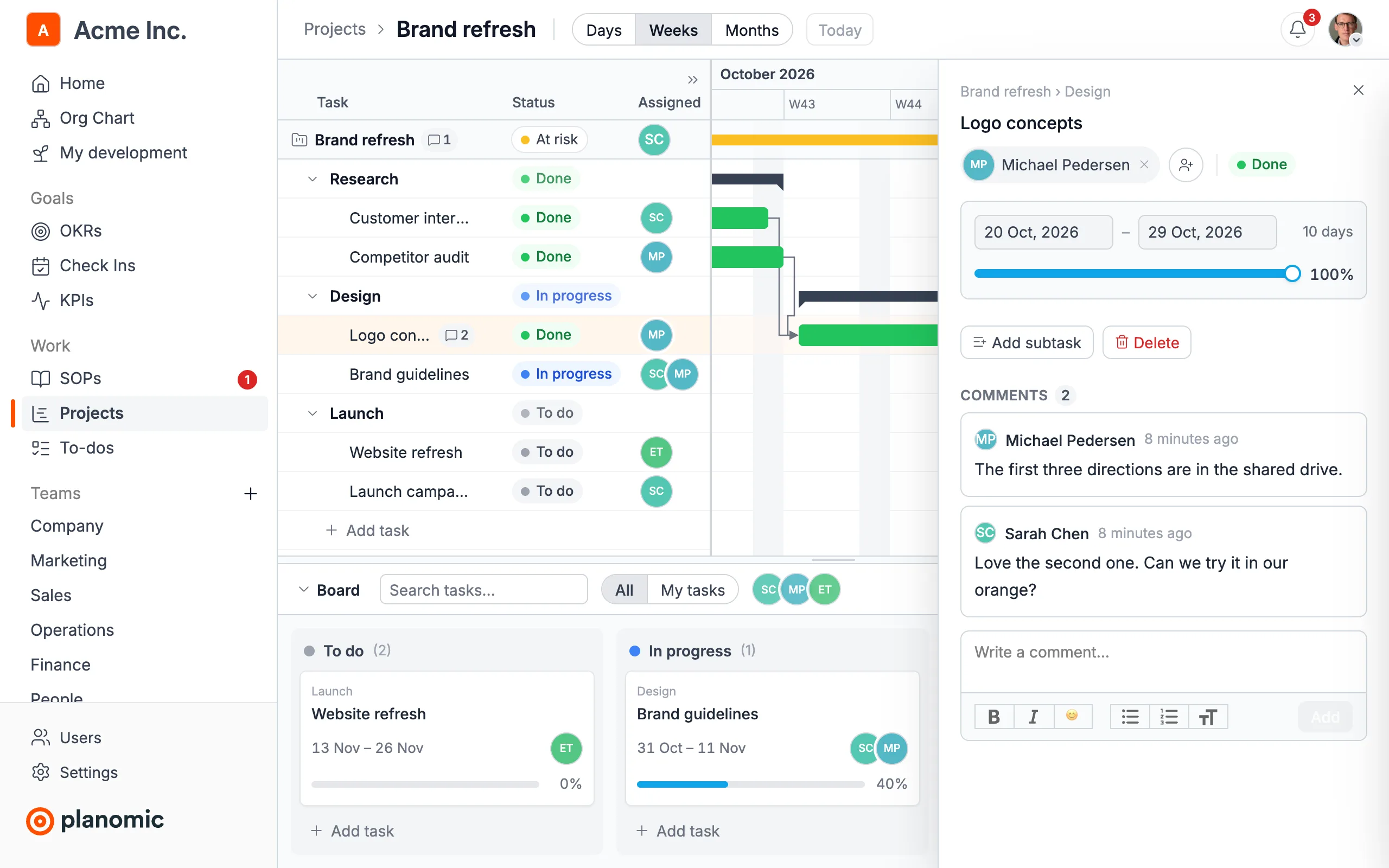
Everything about a task in one place
Open a task to change who works on it, its dates and progress, add subtasks and discuss it in comments. The people assigned hear about it in the bell and by email.
Works well with
See Planomic with your own strategy
Book a demo and we'll show you how your teams can go from plan to results.
Book a demo